Hank de Wit
hdewit at people net au
Retired Meteorologist/IT Administrator @ Bureau of Meteorology, Australia.
Join the H Subclade Discovery Project
by Hank de Wit

- Introduction
- How will being ‘official’ help our H37 branch?
- About the H Subclade Discovery Project
- How to join the H Subclade Discovery Project
- Using the H Subclade Discovery Project
- Leaving a Project
Introduction
A THANK YOU NOTE As of 22 April 2024 the number of H37b’s on the H Hiscovery Project has increased to 10, and I’d like to thank those that have joined following this post.
On Family Tree DNA (FTDNA) mtDNA Haplogroups are currently assigned according to the standard Phylotree. This is a fixed tree, completed in 2016, but based on data to 2012.
In this tree the H Haplogroup has a large number of sub-branches, or clades. But the number of full-sequence mtDNA tests has grown exponentially since the tree was created and many more potential sub-branches of H are apparent.
I personally think that these more recently discovered sub-clades are rarer in general and might tell us more about the history H than the well known common branches.
Family Tree DNA has started a project, called the Million Mito Project, which aims to take advantage of all the more recent mtDNA tests and update the Phylotree, thus making our H37 branch official (albeit with a different name). YFull already does this, but their database is only a fraction of FTDNA.
How will being official help our H37 branch
Our H37 branch was identified and named by YFull some years ago. On YFull there are only fifteen examples of H37, seven of them are research or medical samples. On FTDNA I have sixty matches who would all be in H37. There will be others that are in H37 but are invisible to me because too many mutations would separate us. A difference of four mutations is enough too exclude someone as a match. So FTDNA is sitting on roughly ten times more data than is currently available to YFull.
If H37 were an officially identified Haplogroup in the Phylotree and on FTDNA it would be so much easier to figure out how widespread it is, and if there are further sub-branches to H37 that we have not already identified. It could appear in research publications and be better identified in ancient DNA samples.
However the Million Mito Project is a massive task and is taking years to complete. Personally I have lost patience with Million Mito. It would be really nice if we had an interem solution.
And there is … it’s called the H Subclade Discovery Project.
About the H Subclade Discovery Project
The H Subclade Discovery Project is one of the many Projects on FTDNA. It was created to try to identify new sub-clades not yet in the Phylotree. It has existed for a number of years but had stagnated.
Recently new Administrators have joined the project and they are very active. At my request they have been kind enough to add H37 to their list of proposed new sub-clades.
The web address of the Project is https://www.familytreedna.com/groups/mtdna-hstar/about.
Only the basic information about a sample is publicly listed. The only link to the user is their Kit Number. Here is the line on the Project’s Results Page for my sample.  As you can see no coding region mutations are publically available. The Administrators will be able to see them if you set the permissions for it.
You can chat with the Administrators and other Project members through the Projects activity feed. This feed is not available to non-members.
How to join the H Subclade Discovery Project
To be in the H Subclade Discovery Project you need to have tested with a full-sequence mtDNA test at FTDNA and be in the H Haplogroup or any of it’s branches. You also need to first join the H&HV Project group. You also need to be sharing your mtDNA data if you want to get anything out of joining.
Basic Sharing
- Log into your FTDNA account
- Go to your General Settings - Privacy & Sharing
- Ensure your mtDNA Sharing is set to All Levels

Now might also be the time to enter specific information about your earliest known maternal ancestor.
- Go to the Account Settings - Genealogy page.
- Scroll down to the maternal ancestor section and fill in the details, as I have for my maternal ancestor.
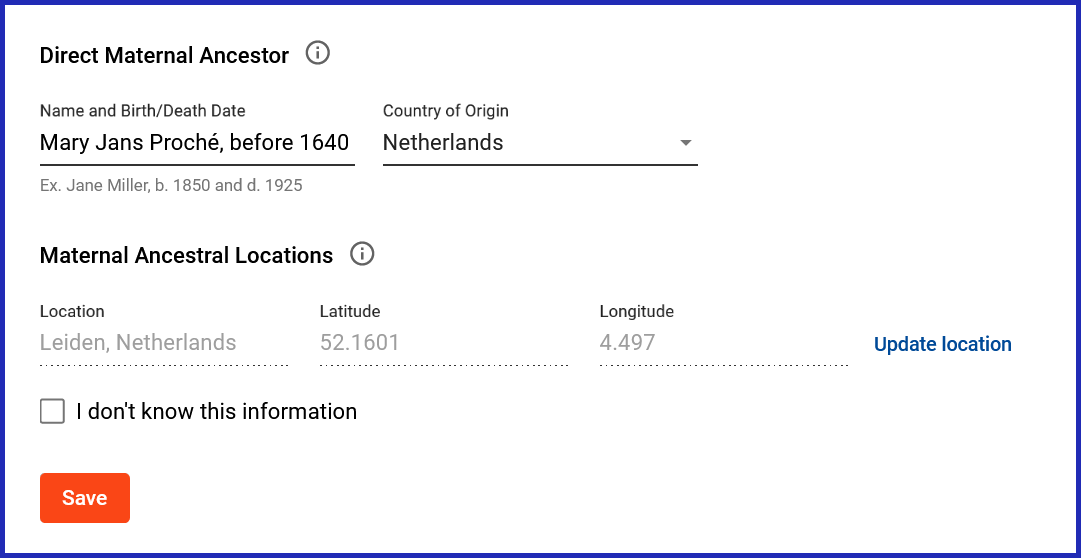
If you don’t know this information, just click “I don’t know this information”. But if you do know it, please do fill it in. Providing a location latitude/longitude will allow your information to appear on a map (see Using the H Subclade Discovery Project section).
Join the H and HV mtDNA Hg Project
- Click on this Join the H and HV mtDNA Hg Project link.
- Read the description on that page then click on the JOIN button
- Go to your Project Preferences page
- To edit your settings, click on the pencil icon to the right of the H and HV mtDNA Hg Project.
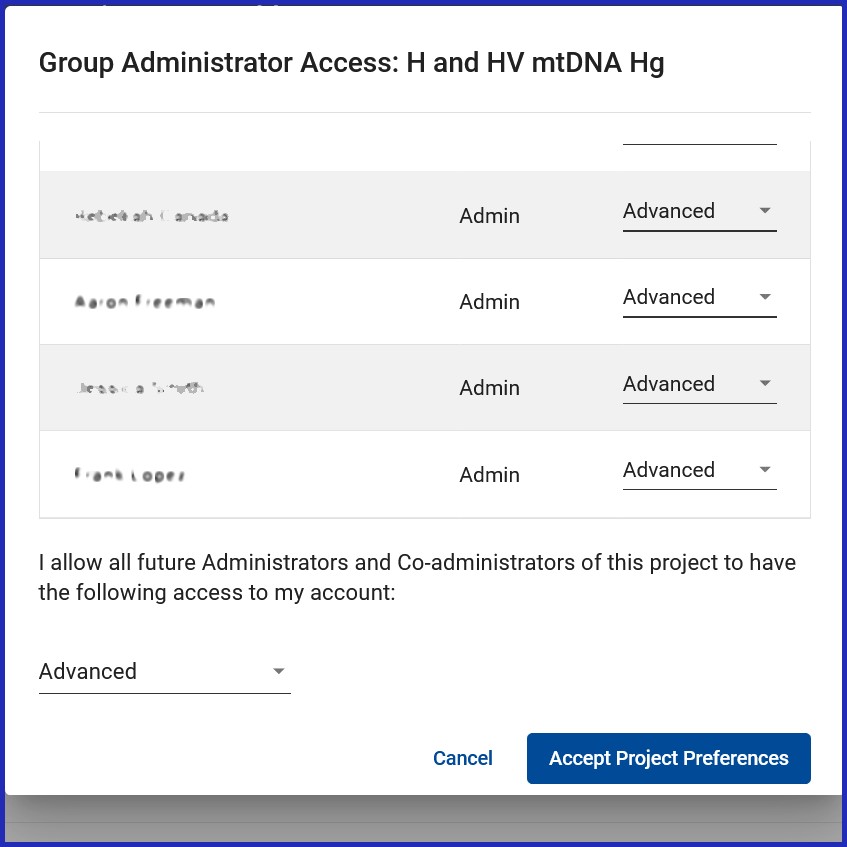
- In the pop-up window (as shown below) scroll down and ensure all the Administrators have Advanced permissions and, at the bottom of the page, ensure that future Administrators will be granted Advanced permissions.
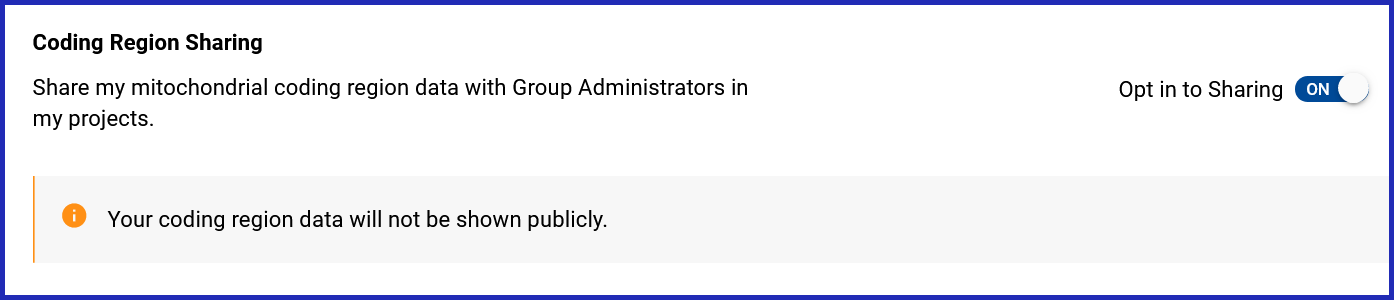
- At the bottom of the Project Preferences page ensure that you set the Coding Region Sharing option Opt in to sharing to On. This will affect all your Projects.
Join the H Subclade Discovery Project
- Click on this Join the H Subclade Discovery Project link.
- Read the description on that page then click on the JOIN button
- Go to your Project Preferences page, click on the pencil icon to the right of the H Subclade Discovery Project.
- In the pop-up window scroll down and, at the bottom of the page, ensure all the Administrators have Advanced permissions and at the bottom ensure that future Administrators will be granted Advanced permissions.
Using the H Subclade Discovery Project
Results Table
- Go to the Project Results page
- Click on the Results link of the page and it will take you to a table showing all the members of the group and their mtDNA details. The table by default only shows a small selection but you can change the page size.
- Set the Page Size to 2500 and click on the search icon (magnifying glass). The listing should now contain everyone in the Project, so you just need to find the H37 group.
- Use your web browsers Search in page function to search for H37b.
You should see a listing like this. 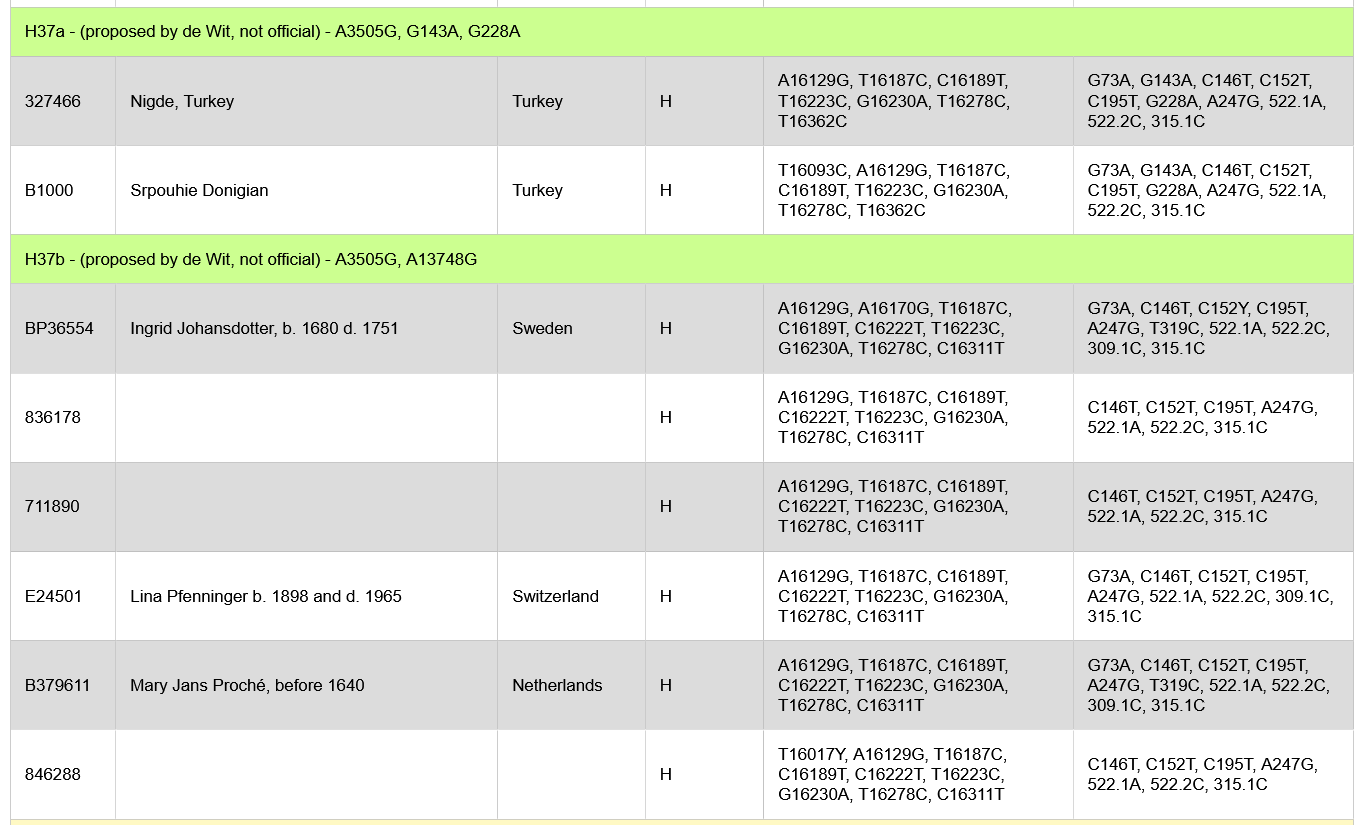
There are already six people there at the time I’m writing this. As more of our H37 matches join the project this list will grow.
Results Map
You can also use the Projects Map result.
- Go to the Project Results page
- Click on the Map link of the page and it will take you to a page showing a map of the world.
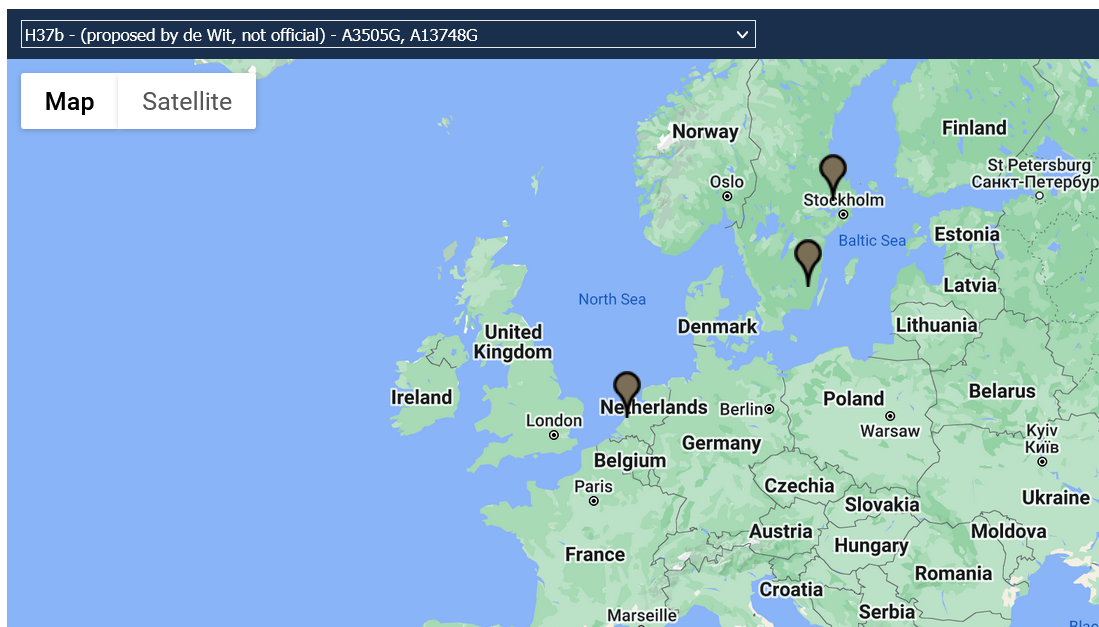
- There is a “pick list” a the top of the map. Click on it and select the option H37b - (proposed by de Wit, not official) - A3505G, A13748G. Pins will appear on the map for the H37 people in the project that have also set the location of their earliest maternal ancestor (see the Basic Sharing section).
Activity feed
Chat with the Administrators and other Project members through the Projects activity feed.
Leaving a Project
At any stage you can leave these Projects by visiting your Project Preferences page, locating the Project and clicking on the trash can/rubbish bin icon.
tags: